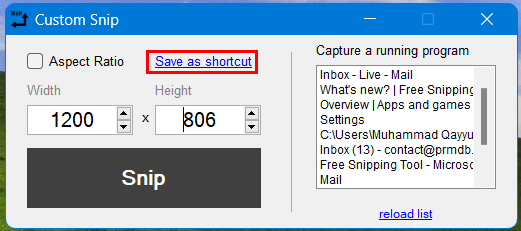
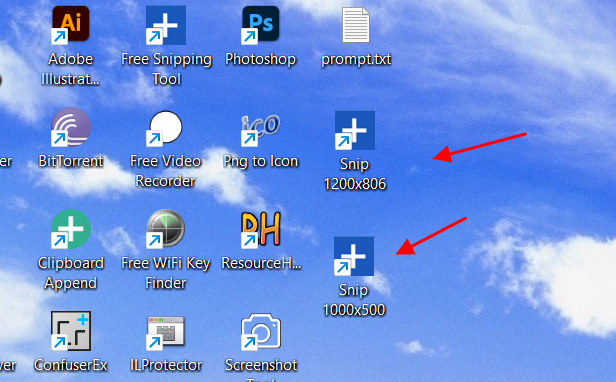
Free Snipping Tool allows you to create desktop shortcuts with predefined screenshot dimensions. This convenient feature saves time and effort, especially when you frequently capture screenshots of the same size. You can also create multiple shortcuts with different dimensions to suit your needs.
Follow these simple steps to create a custom snip shortcut:
- Open the Custom Snip Form.
- Set your preferred screenshot dimensions.
- Click the Save as Shortcut button.
- Your custom snip shortcut will automatically appear on your desktop.
That’s it! Simply open the shortcut whenever you need to capture a screenshot with your predefined dimensions, without having to adjust the size manually each time.